
Duplicate a Project

Published November 22, 2024

You can duplicate an existing project. This functionality allows you to create a new project that mirrors the settings, structure, and configurations of an existing one, saving time and effort when launching similar incentive initiatives.

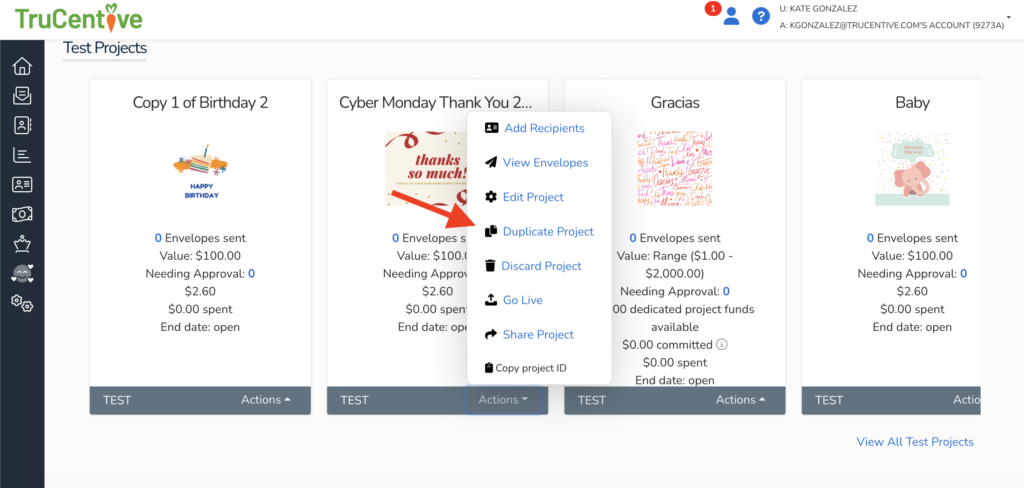
Navigate to the project you would like to duplicate. Click on the Actions dropdown and select Duplicate Project.
Related articles
Set up tab

What is the difference between the Project Dates & Envelope Expiration Dates?

→
Incentive tab

What is the difference in using a Fixed Value and setting a Minimum and Maximum Value when setting up the gift card value?

→
Design tab

Project Design Tab Overview: SMS, Landing Page, First Email Message

→