
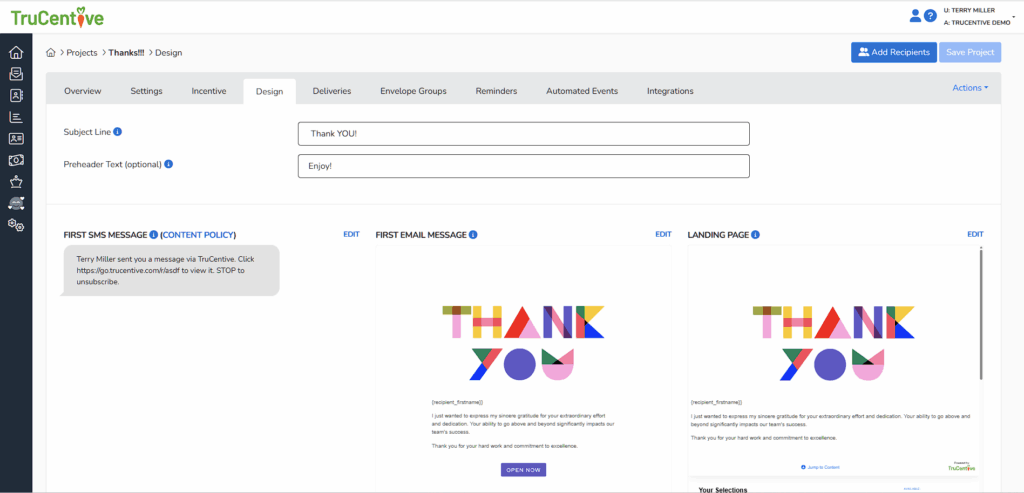
First Email Message – This is the email your recipient receives with their incentive. When they open the email, they’ll click the “Open” button, which takes them to the Landing Page.
Landing Page – This is a key step in the process. The Landing Page is what recipients see after clicking the link in their email or SMS message. From here, they can open and claim their incentive.
SMS – When the recipient receives their envelope by SMS, they’ll see a message indicating who sent it, along with a blue link. Tapping that link takes them to the Landing Page, where they’ll see the template you created and can claim their incentive.