
MICROSOFT TEAMS
Send Incentives Without Leaving Microsoft Teams
Recognize employees and send meaningful rewards directly in Microsoft Teams. TruCentive combines an easy in-channel experience with recipient choice, global reward options, and the governance administrators need.
Get TruCentive for Teams
Book a Teams demo
Microsoft-certified app · Recipient choice · 1M+ reward options · Enterprise controls
MICROSOFT APPSOURCE · SOC 2 TYPE II · PCI DSS · GDPR · WCAG 2.2 AA
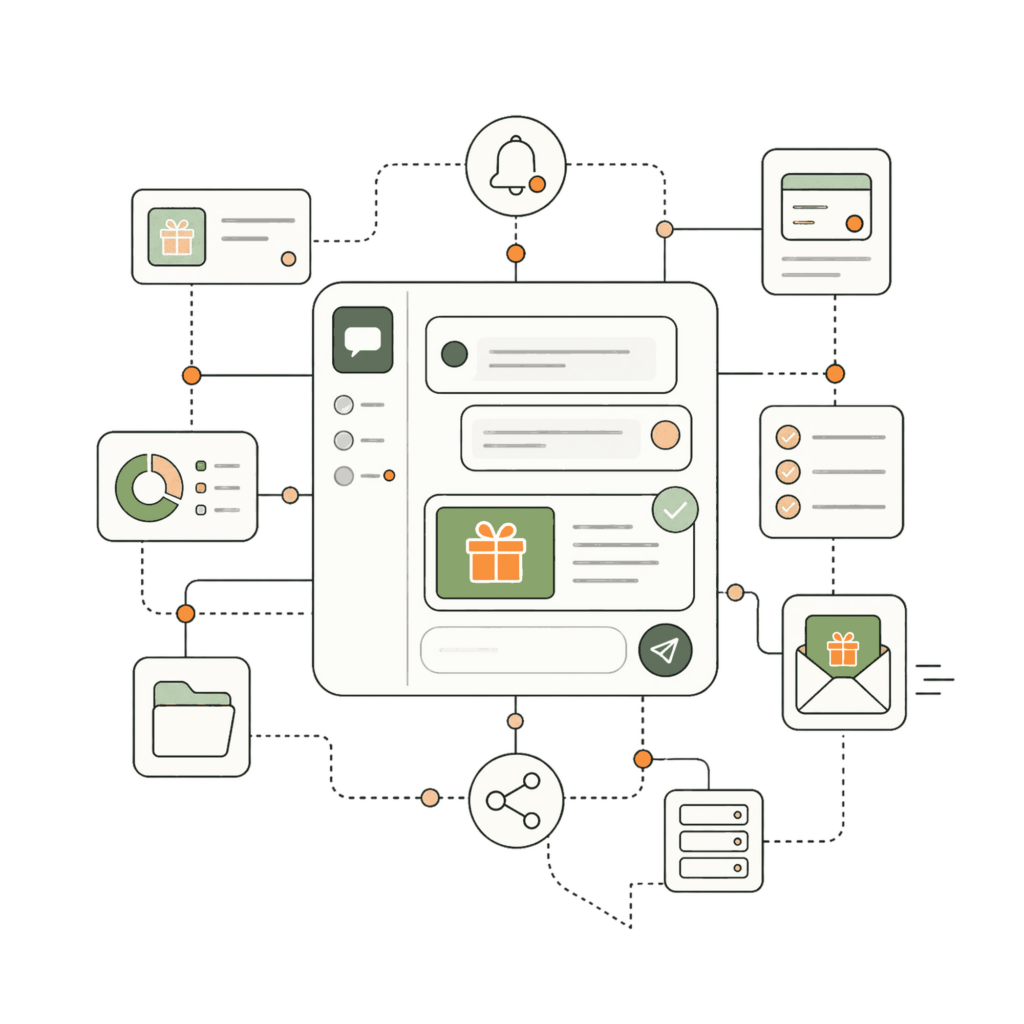
WORK WHERE YOUR TEAM WORKS
Recognition and rewards—inside Microsoft Teams.
Recognize great work where collaboration already happens. TruCentive for Microsoft Teams lets authorized users send branded incentives without switching tools, while administrators retain visibility, controls, and program consistency.
Native
Microsoft-certified app
Available through Microsoft AppSource and designed to fit naturally into the Teams experience.
Fast
in-channel delivery
Send an incentive from Teams at the moment recognition matters, without a separate fulfillment workflow.
Global
1M+ options
Offer gift cards, prepaid cards, payments, merchandise, charitable options, and SWAG across global programs.
Personal
recipient choice
Single or MultiSelect experiences let each recipient choose from a curated reward menu.
Built for employee recognition, manager awards, team celebrations, sales wins, learning milestones, and distributed workforces.
BUILT FOR PEOPLE TEAMS
From appreciation to action in a few clicks.
Turn everyday appreciation into a consistent employee experience. Send from the collaboration flow, personalize the message, and let TruCentive handle reward presentation, recipient choice, and tracking.
Reward in the moment
Celebrate a contribution, milestone, customer win, or helpful teammate while the moment is still fresh.
Preserve your brand
Use approved projects, reward menus, values, messages, and branding so recognition feels personal and remains on policy.
Let recipients choose
Let employees select an option they value instead of asking managers to guess a universally appealing reward.
Keep oversight
Give administrators visibility into sends, recipient activity, claims, budgets, and unclaimed value.
DESIGNED FOR EVERYDAY RECOGNITION
Make meaningful recognition part of the workday.
Use one governed integration across departments while each program keeps its own audience, branding, reward mix, cadence, and post-claim action.
Peer recognition
Send participant compensation automatically after a survey or research milestone, with unique delivery and claim tracking.
Manager awards
Connect incentive delivery to enrollment, visits, diaries, or other approved clinical-study milestones.
Milestones and celebrations
Trigger loyalty rewards after purchases, renewals, referrals, service recovery, or other customer milestones.
Learning and onboarding
Recognize employees after achievements, anniversaries, learning milestones, peer nominations, or manager approvals.
Sales and service
Add incentives to CRM and marketing automation journeys for demos, referrals, reviews, advocacy, and retention.
Remote team engagement
Reward attendees, partners, resellers, and channel participants after verified participation or performance milestones.
MICROSOFT TEAMS APP + INCENTIVE PLATFORM
Give employees choice without adding admin work.
Decision factor
Separate recognition and reward tools
TruCentive for Microsoft Teams
Unused incentive value
Often unknown until a separate reconciliation process, with limited program-level visibility.
Track unclaimed value by program; under Pay as You Go, it returns to your TruCentive account.
Reward relevance
A fixed reward or separate tools for each team, audience, and country.
Offer gift cards, payments, merchandise, prepaid cards, charitable options, and SWAG through the Teams experience.
Campaign delivery
Managers leave Teams, switch systems, and recreate messages or fulfillment steps.
Authorized users send from Teams using approved projects, values, messaging, and branded recipient experiences.
Follow-through
Recognition is handled as a one-time send, with manual follow-up and limited recipient visibility.
Claim-aware reminders and post-claim messages help recipients act without adding work for managers.
Measurement
Separate spreadsheets and limited visibility across teams, budgets, recipients, and claims.
Track sends, delivery, recipient activity, claims, budgets, reminders, and unclaimed value in TruCentive reporting.
TruCentive combines the convenience of a Teams app with a complete incentive platform, so employees get a simple experience and administrators keep program control.
GET STARTED IN TEAMS
Add governed incentive delivery to the collaboration space your employees already use.
01
Install the app
Add the TruCentive app from Microsoft AppSource or your approved Teams app catalog.
02
Connect your account
Sign in with your authorized TruCentive account and select the approved project or recognition experience.
03
Create and send
Choose the recipient, personalize the message, select the approved value, and send without leaving Teams.
04
Track and improve
Review delivery, engagement, claims, budgets, and unclaimed value in TruCentive reporting.
MICROSOFT TEAMS FAQs
Simple for employees. Governed for administrators.
What can we send through Microsoft Teams?
Authorized users can send gift cards, prepaid cards, payments, merchandise, charitable options, and SWAG, subject to the approved project and market availability.
Can recipients choose their reward?
Yes. Single and MultiSelect experiences can present an approved reward menu so each recipient chooses an option that is useful to them.
How do administrators track activity?
Administrators use TruCentive reporting to review send activity, delivery, recipient engagement, claims, budgets, reminders, and unclaimed value.
Can we use existing TruCentive projects?
Yes. Authorized users can select approved TruCentive projects so reward choices, values, branding, and program rules stay consistent.
Do employees need another portal?
No separate reward portal is required to initiate recognition. Users can start the experience in Teams, while recipients follow the secure TruCentive claim experience.
How are security and access handled?
TruCentive supports enterprise governance with SOC 2 Type II controls, PCI DSS, HIPAA de-identification support, GDPR resources, role-based access, and a public trust center. Your implementation should still follow your organization’s security and privacy requirements.
RECOGNITION HAPPENS IN THE MOMENT. KEEP IT THERE.
Bring meaningful rewards into Microsoft Teams.
See how TruCentive fits your Microsoft Teams workflow. We’ll walk through app setup, approved projects, the recipient experience, reporting, and administrator controls.
Book a Teams walkthrough
Get started
Microsoft-certified app · 1M+ reward options · Recipient choice · Enterprise controls · SOC 2 Type II attested